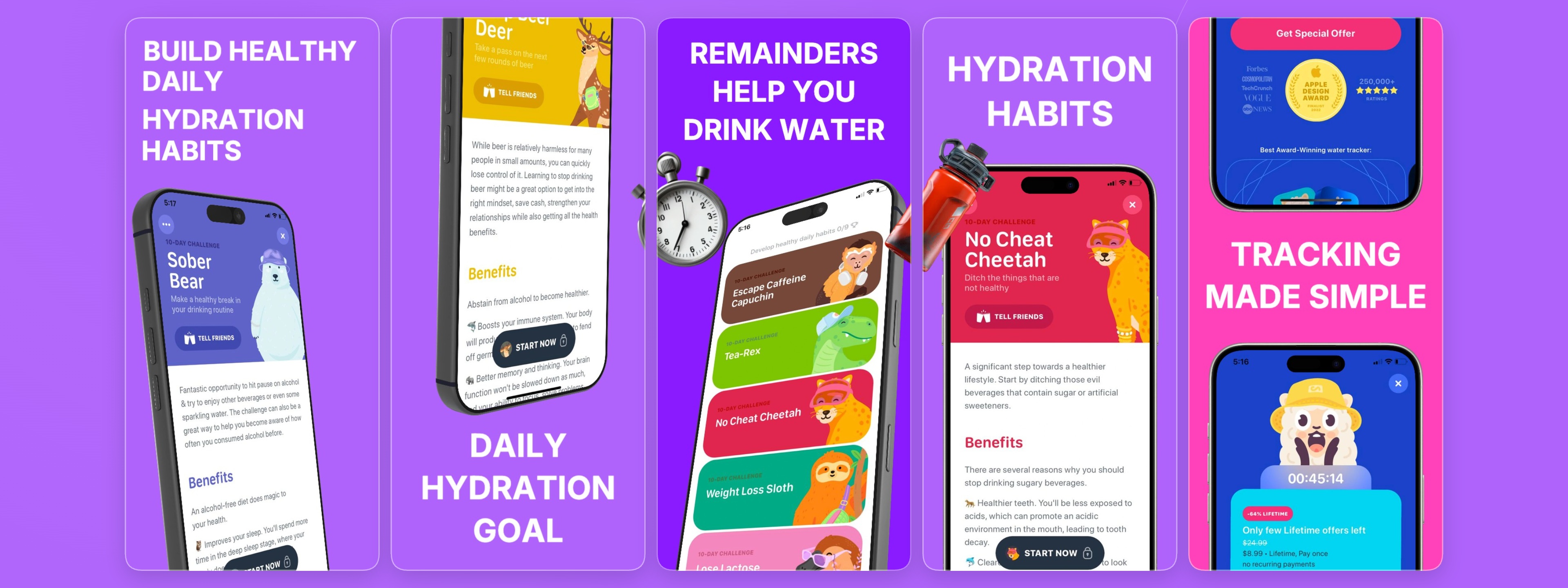
Hydration tracker app
Launching a hydration tracker app? First impressions are crucial. Our "Hydration Tracker App" screenshot template provides a professional, eye-catching foundation to showcase your app's features and benefits. Designed for clarity and engagement, this template helps you captivate potential users from the moment they lan
Built For The Editor
With StoreShots' intuitive browser-based editor, customizing this hydration tracker template is effortless. Quickly adjust text, swap device mockups, and fine-tune colors to match your brand's aesthetic. The editor streamlines your screenshot creation workflow, allowing you to generate 5 high-quality iPhone 6.9-inch En
Works With Figma Workflows
While Figma excels in UI/UX design, translating those designs into App Store-ready screenshots can be time-consuming. StoreShots bridges this gap. Import your app's UI elements and effortlessly place them into our "Hydration Tracker App" template. This Figma-adjacent workflow ensures design consistency and dramatically
Useful For ASO Iteration
Optimized app screenshots are a cornerstone of effective App Store Optimization. This "Hydration Tracker App" template is structured to highlight key features and benefits, encouraging higher conversion rates. By using clear, compelling visuals and concise messaging, you can improve user engagement, reduce bounce rates
Use cases
FAQ
How can this template help my hydration tracker app stand out?
This template offers a clean, professional design tailored for health and habit tracking apps. By providing a structured layout for your 5 slides, it helps you clearly communicate your app's value proposition, key features, and user benefits, making a strong visual impact on potential users.
Is this template suitable for both App Store and Google Play?
Yes, while the visible signals indicate iPhone 6.9-inch English slides, StoreShots allows you to adapt templates for various device sizes and platforms, including Google Play. You can easily adjust dimensions and export formats to meet the specific requirements of both app stores, ensuring broad market reach.
Can I customize the colors and fonts in this template?
Absolutely. StoreShots' editor provides full customization options. You can easily change the background colors (like the indicated #af63fb, #8a1aff, #ff42b9), text fonts, and overall styling to perfectly align with your app's branding and visual identity, ensuring a cohesive look.